
Help
How to use this portal
Create your account, start a request, send your documents and follow every step, all from your phone.
This portal is where you ask Gulf Advisors for a new trade licence or a visa, send us your documents and follow your request step by step. It works on your phone. A member of our team checks everything you send; nothing is approved automatically.
Create your account
You need an account once. After that, every request you make is in one place.
- Tap Submit a Request on the portal's first page.
- Type your Email.
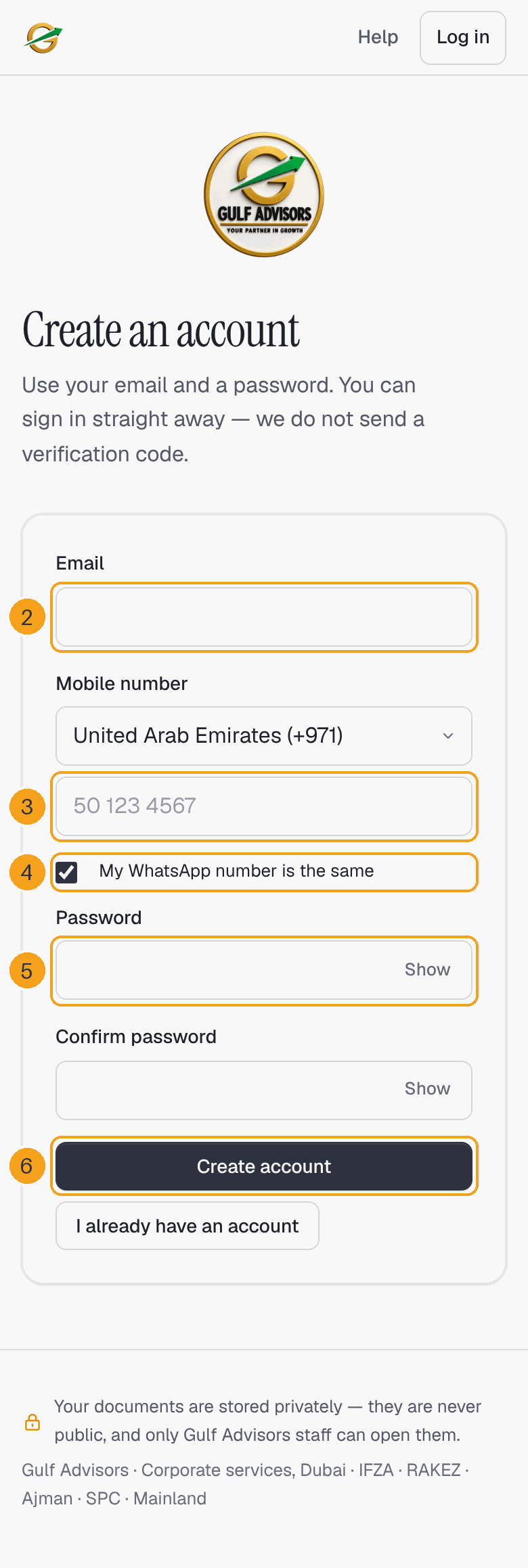
- Choose your Country code and type your Mobile number.
- If you use WhatsApp on the same number, leave My WhatsApp number is the same ticked. If not, untick it and type your WhatsApp number.
- Choose a Password and type it again in Confirm password.
- Tap Create account.
What happens next: you are signed in straight away. We do not send you a code. The portal takes you to the first step of your request.
Log in next time
- Tap Log in at the top of the page.
- Type your Email and Password.
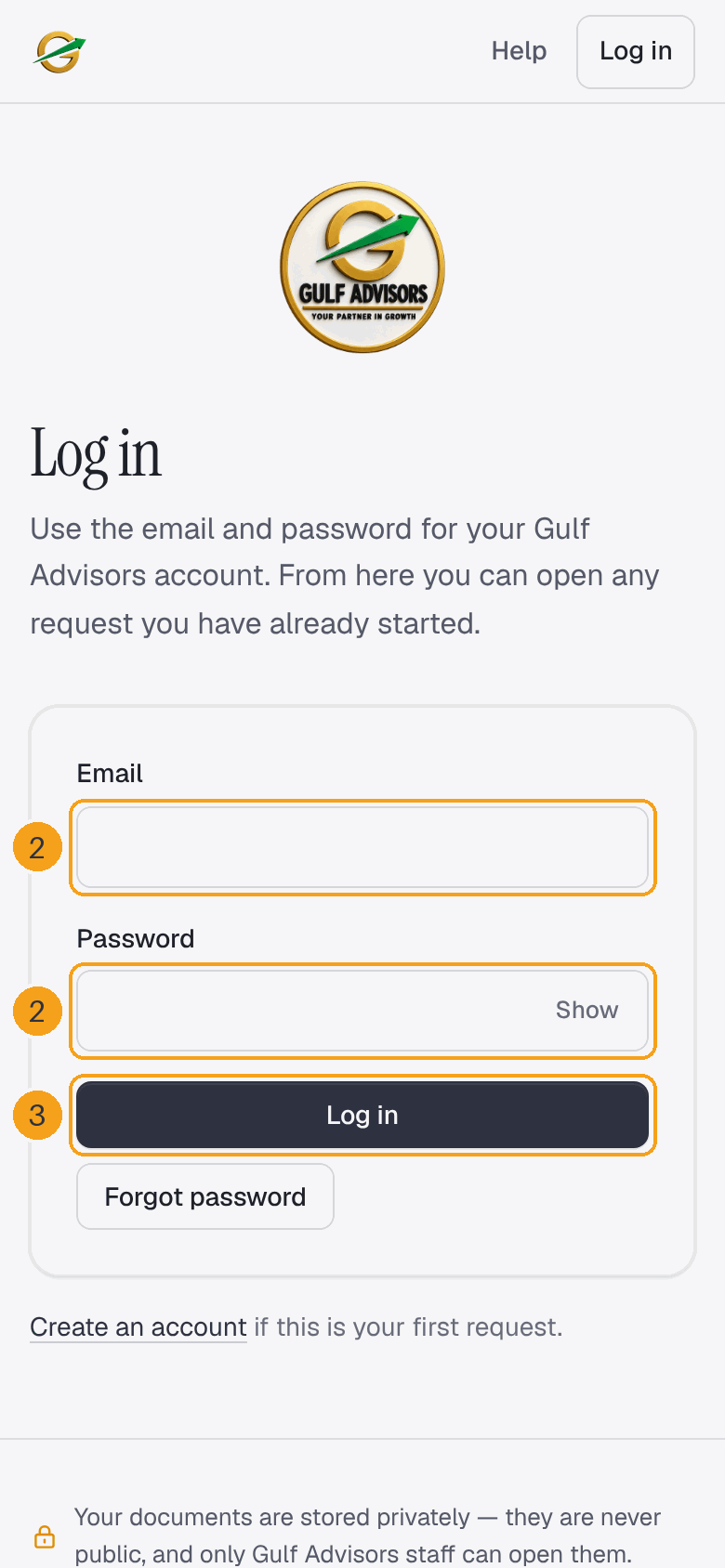
- Tap Log in.
You land on My requests, where you see every request on your account.
Start a request
It takes about five minutes. You can add your documents now or later.
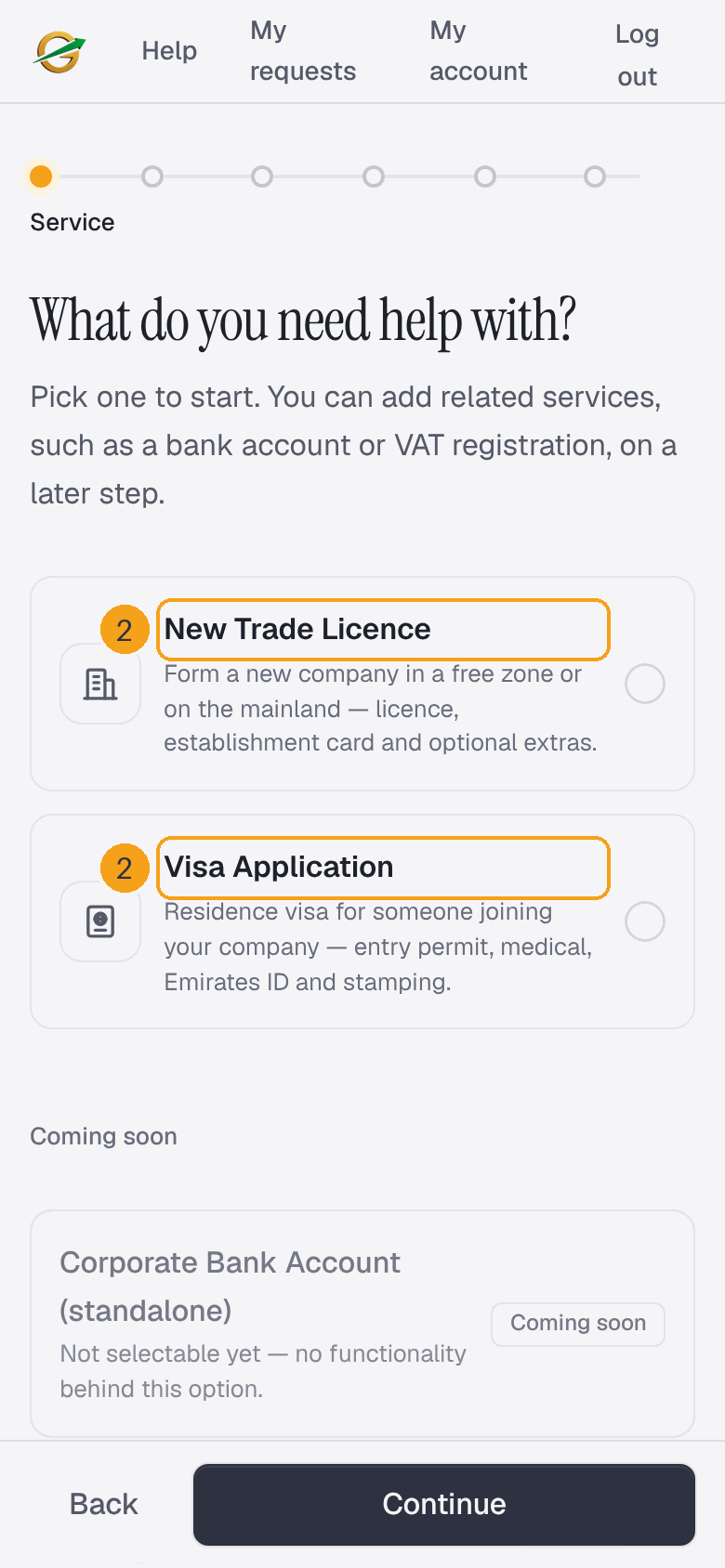
- Tap Submit a Request.
- Choose New Trade Licence or Visa Application and tap Continue.
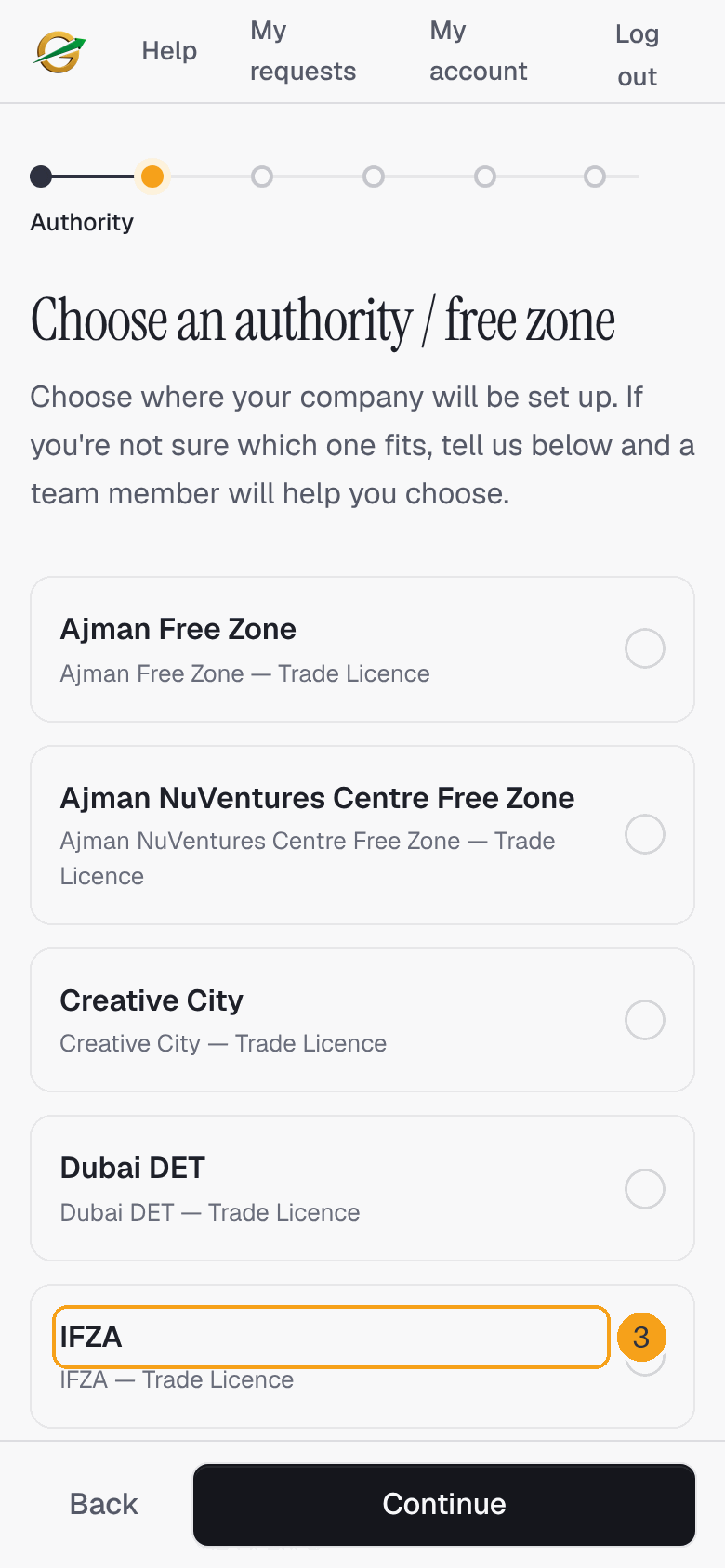
- Choose where your company will be set up and tap Continue. If you are not sure, tick I'm not sure — help me choose: a member of our team will help you.
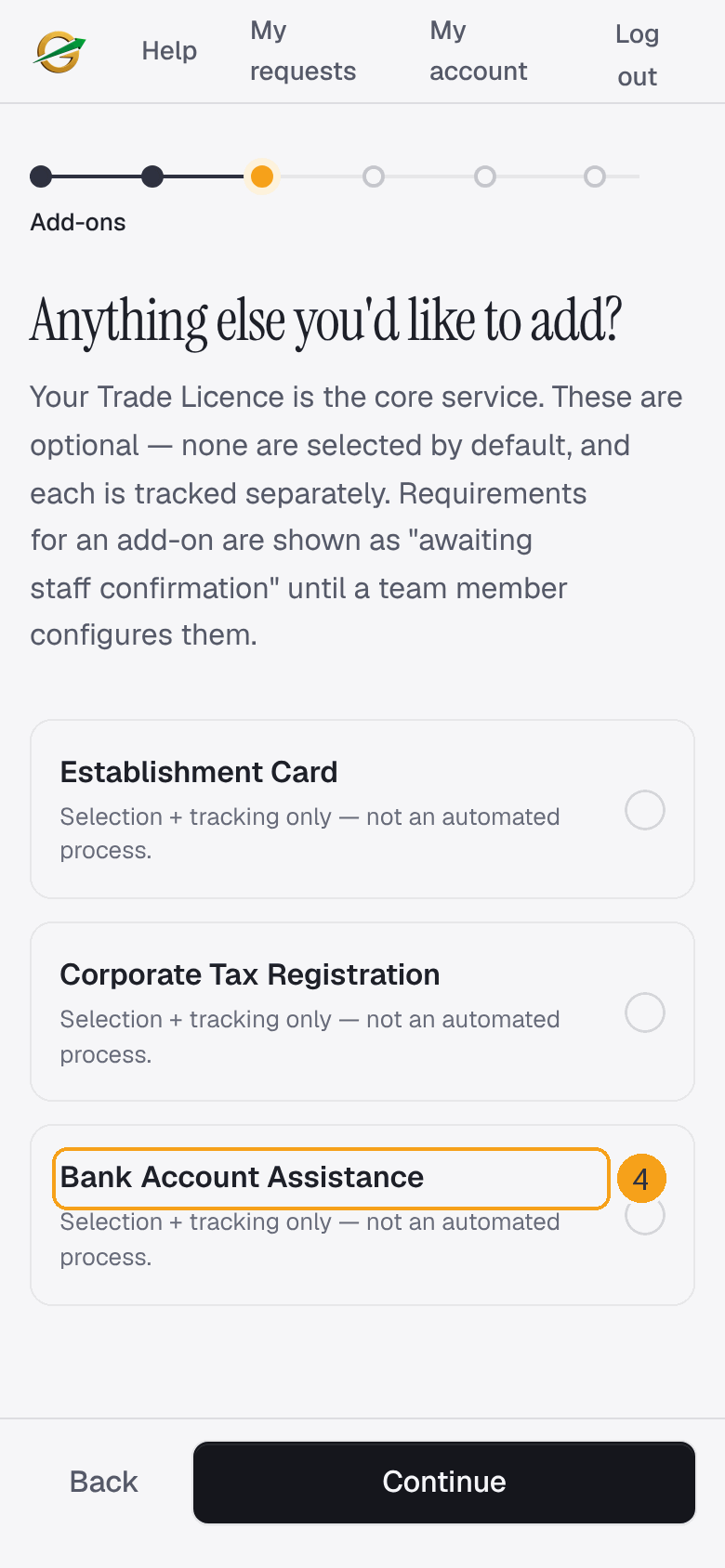
- For a licence, tick any extra services you would like, such as Bank Account Assistance, and tap Continue. They are all optional.
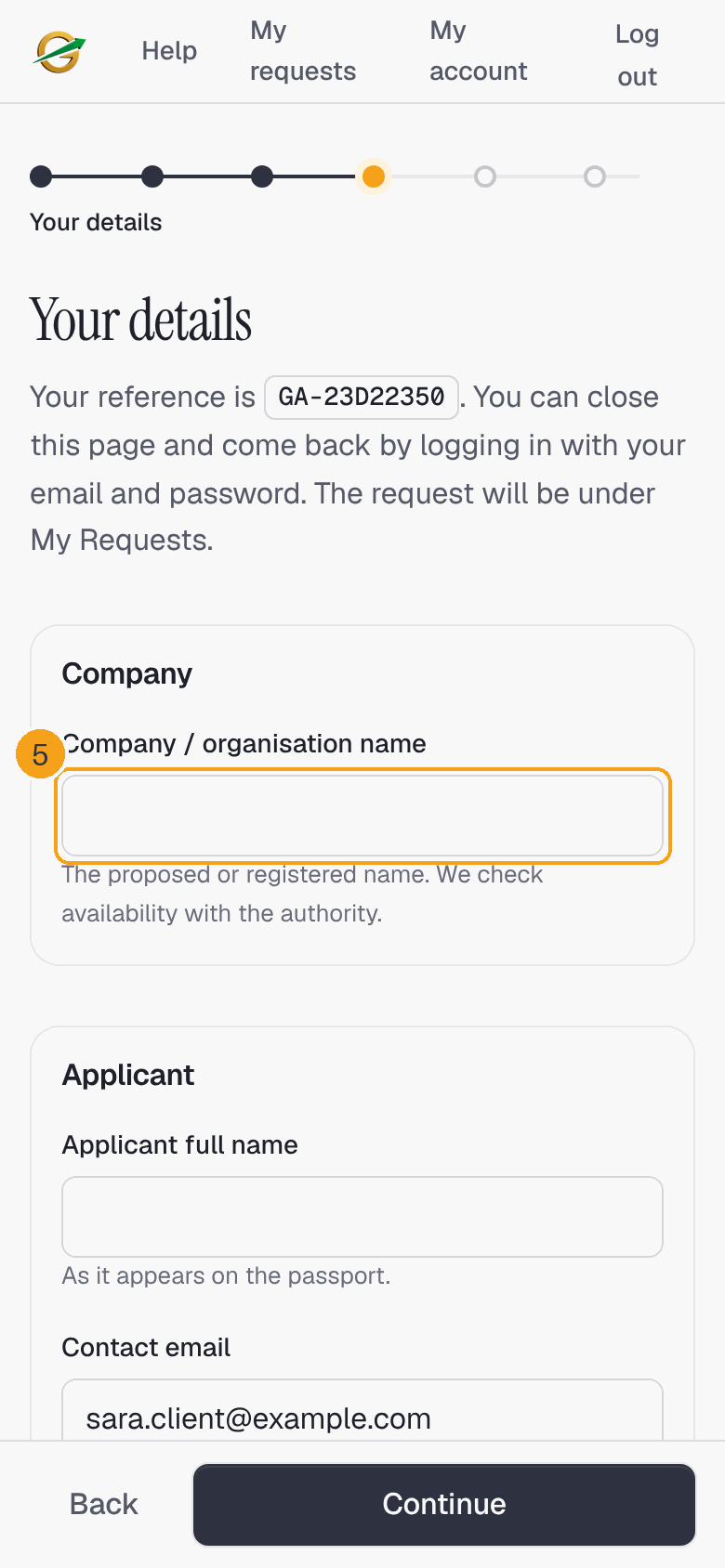
- Fill in your company name, the applicant's name as on the passport, your email, your number and up to three shareholders, then tap Continue.
- Upload your documents (see below) and tap Continue to review.
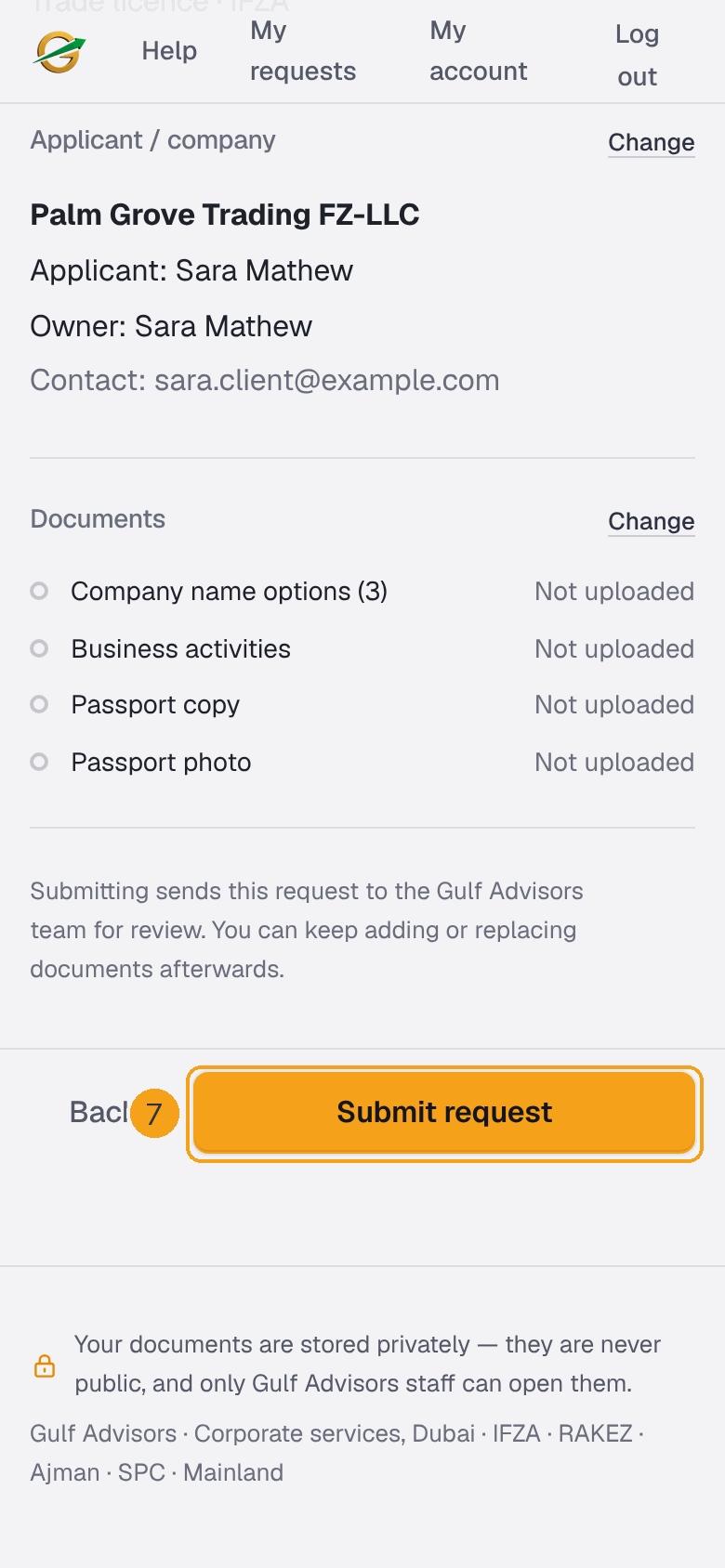
- Check everything, tap Change to fix anything, then tap Submit request.
Your reference, for example GA-1A2B3C4D, is shown from the Your details step. Keep it: it is the name of your request whenever you talk to us.
What happens next: your request is sent to the Gulf Advisors team and its page opens. You can close the portal before you submit and come back later: your request waits under My requests, marked Started with the date, until you submit it.
Upload your documents
- Under each document, choose the file from your phone. A clear photo of the full page is fine; PDF, JPG or PNG up to 15 MB.
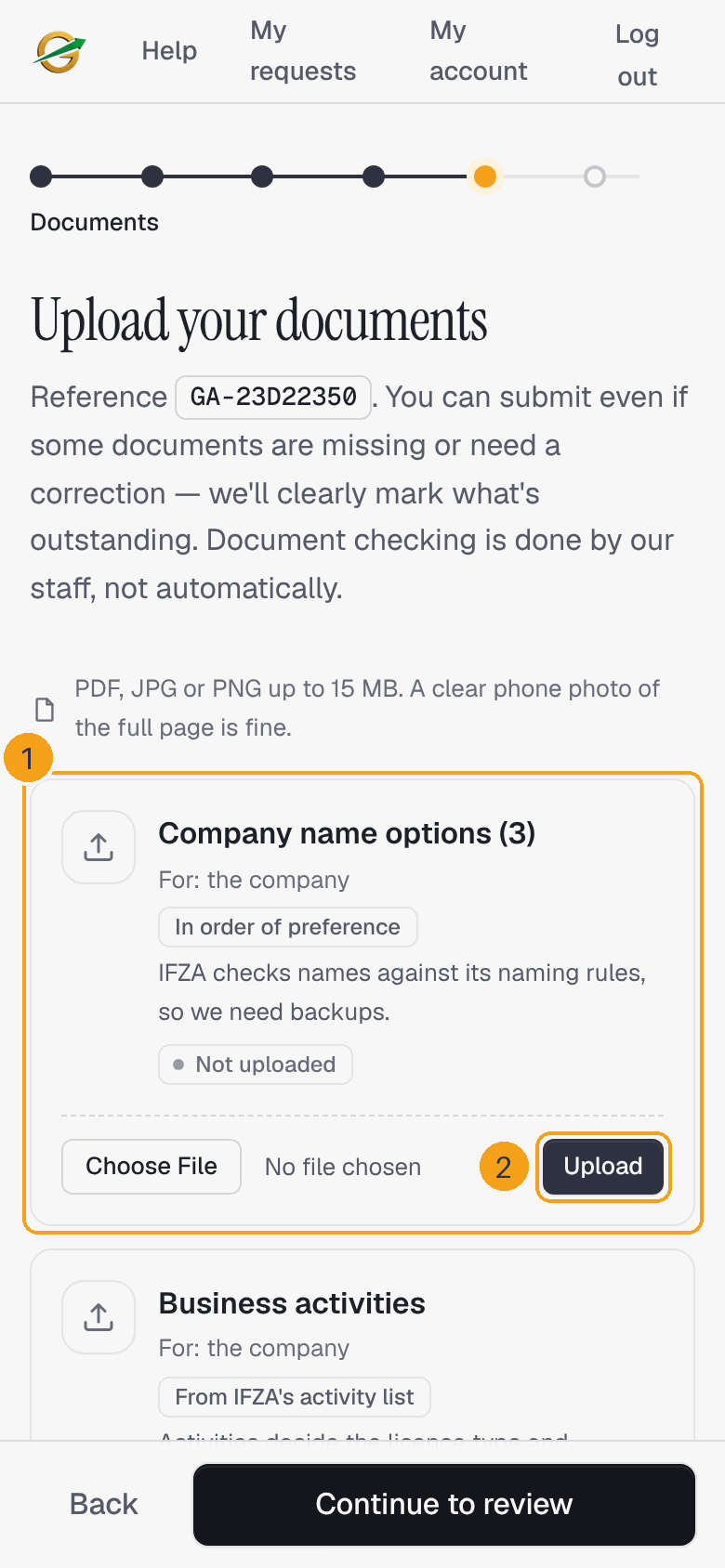
- Tap Upload.
You do not need every document to submit. Missing ones stay marked Not uploaded and you can add them later from your request page.
What happens next: a person in our team checks each file. You see Accepted when it is fine, or Correction requested with a note telling you what to fix.
Follow your request
- Tap My requests at the top and open your request.
- Progress shows every step of your service and which ones are Done.

- Where we are tells you the step we are on now.
- What you need to do tells you if we need something from you.
- If a document shows Correction requested, read our note under it.
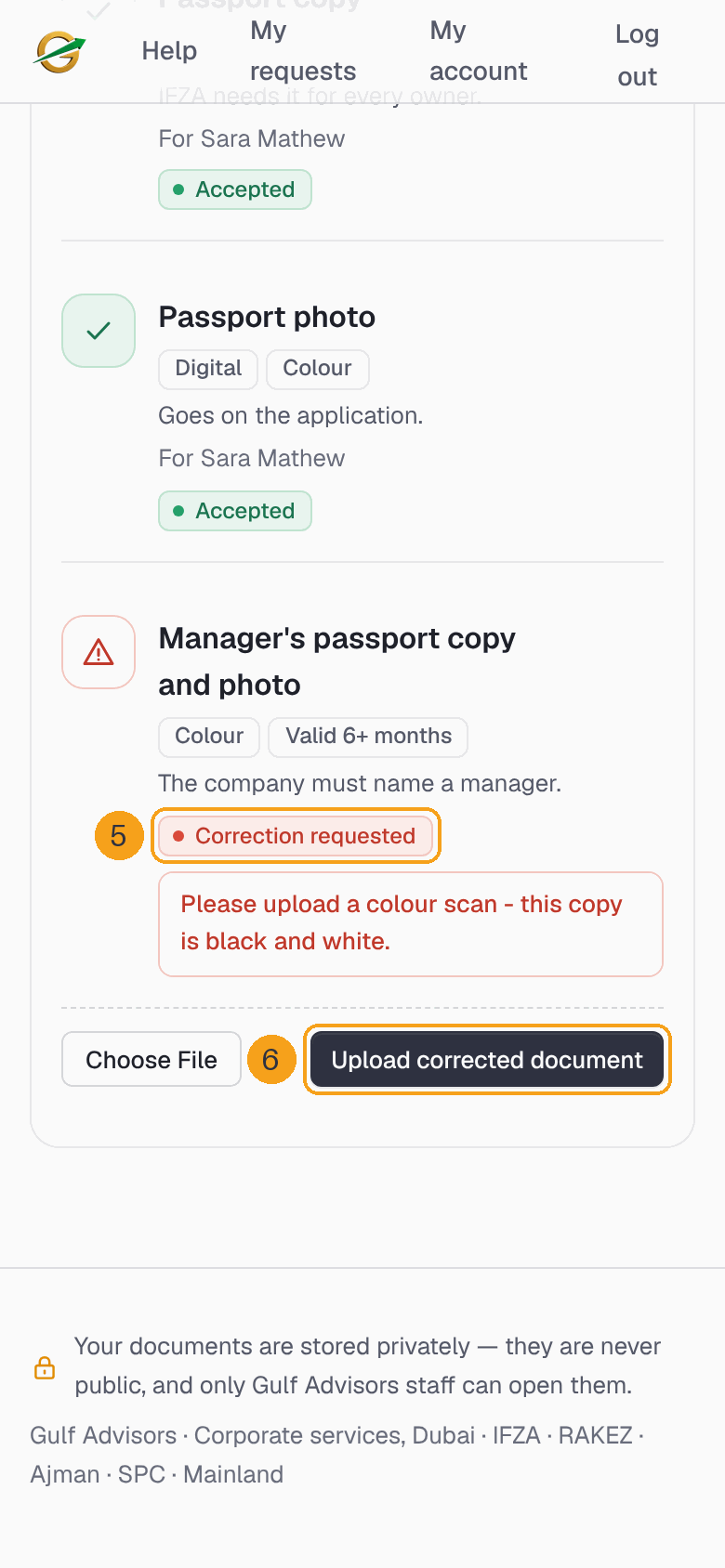
- Choose a new file and tap Upload corrected document.
Everything stays on the same request. You never need to start a new request to send a missing or corrected document.
Ask us a question
Quote your reference whenever you contact us. When your request page shows a Need help? box at the bottom, use it to message us on WhatsApp or email us. The portal does not have a chat or message box.
Your email and phone number
- Tap My account at the top.
- Change your Email or Mobile number, or your WhatsApp number if it is different.
- Tap Save.
If we ask you to add your mobile number when you log in, add it and save; you can then carry on.
Forgot your password
- On the Log in page, tap Forgot password.
- Type the Email of your account.
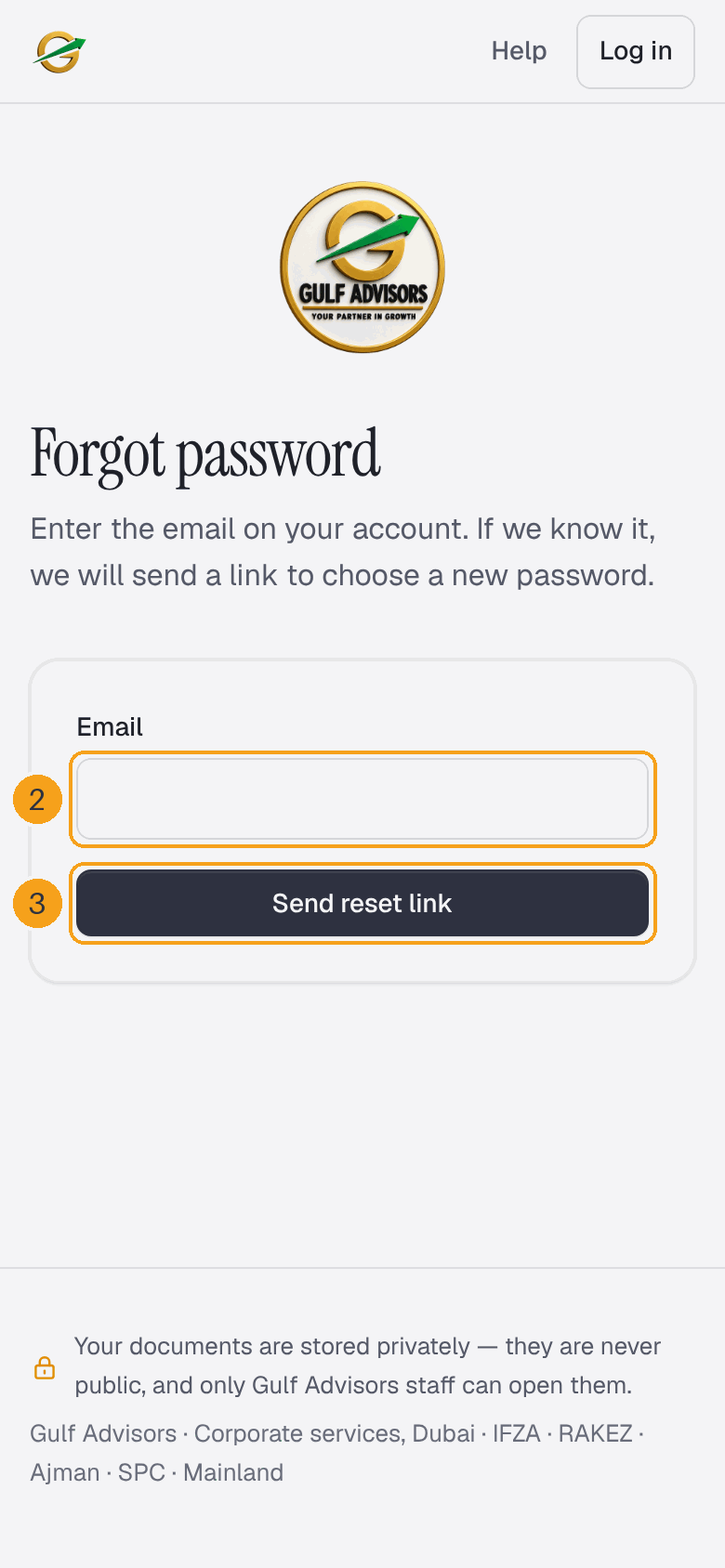
- Tap Send reset link.
- Open our email and tap the link in it.
- Type your new password twice and save it.
The link works once and only for a short time. If no email arrives, check the spelling of your email and your spam folder, then try again.
Open one request with an emailed link
If you cannot log in, you can tap Email me a one-time link on the portal's first page. Type the Email and the Request reference you used and tap Send me a link. The link opens that one request, works once and expires after 30 minutes.
Your documents are private
Your documents are stored privately. They are never public, and only Gulf Advisors staff can open them.
Need help?
Open your request from My requests and look for the Need help? box at the bottom of the page. Always give us your request reference so we can find it at once.